

Text To Anim
Introduction
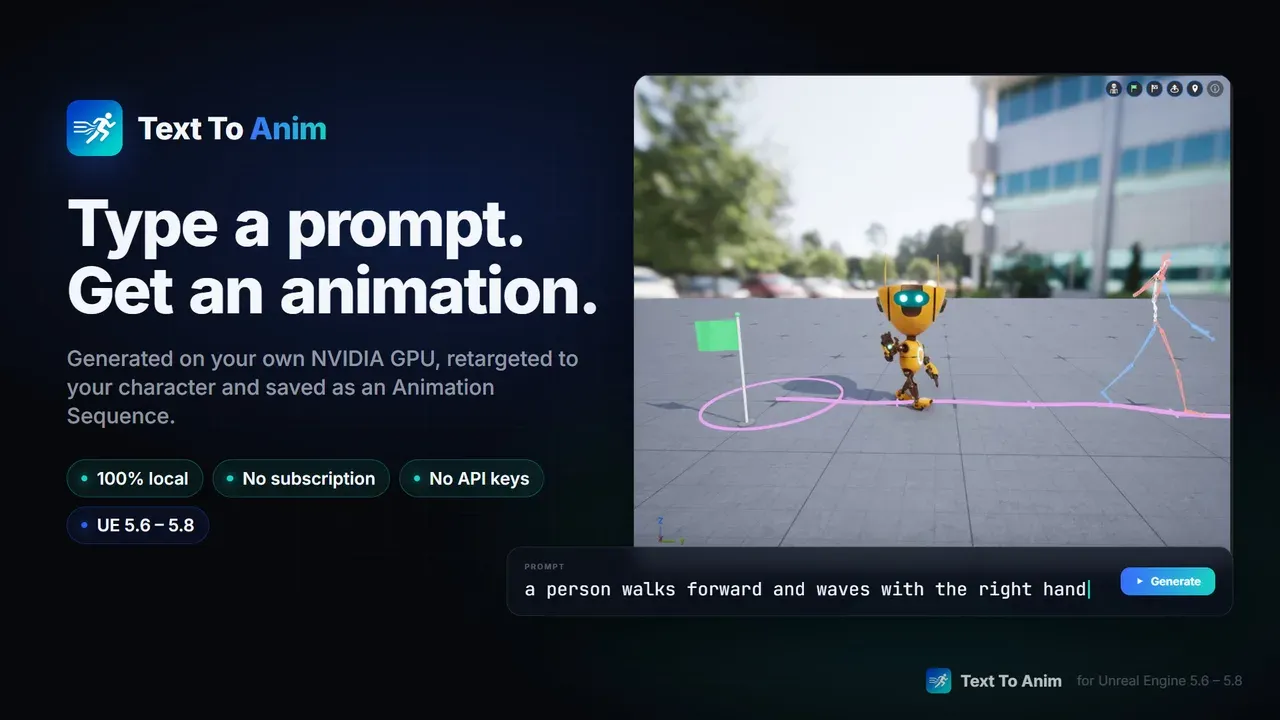
Text To Anim brings text-to-motion generation into the Unreal Editor, running entirely on your machine. Describe a movement in plain English, like "a person walks forward, then turns left and sits down", and get a clean skeletal animation in seconds, previewed live on your character and saved as a regular Animation Sequence.
After the one-time model download nothing leaves your PC: no account, no credits, no per-generation cost. It is available on Fab for Unreal Engine 5.6, 5.7 and 5.8.
Features
- 🔒 Local and private: the model runs on your NVIDIA GPU, in a separate process, so a GPU error never closes your editor
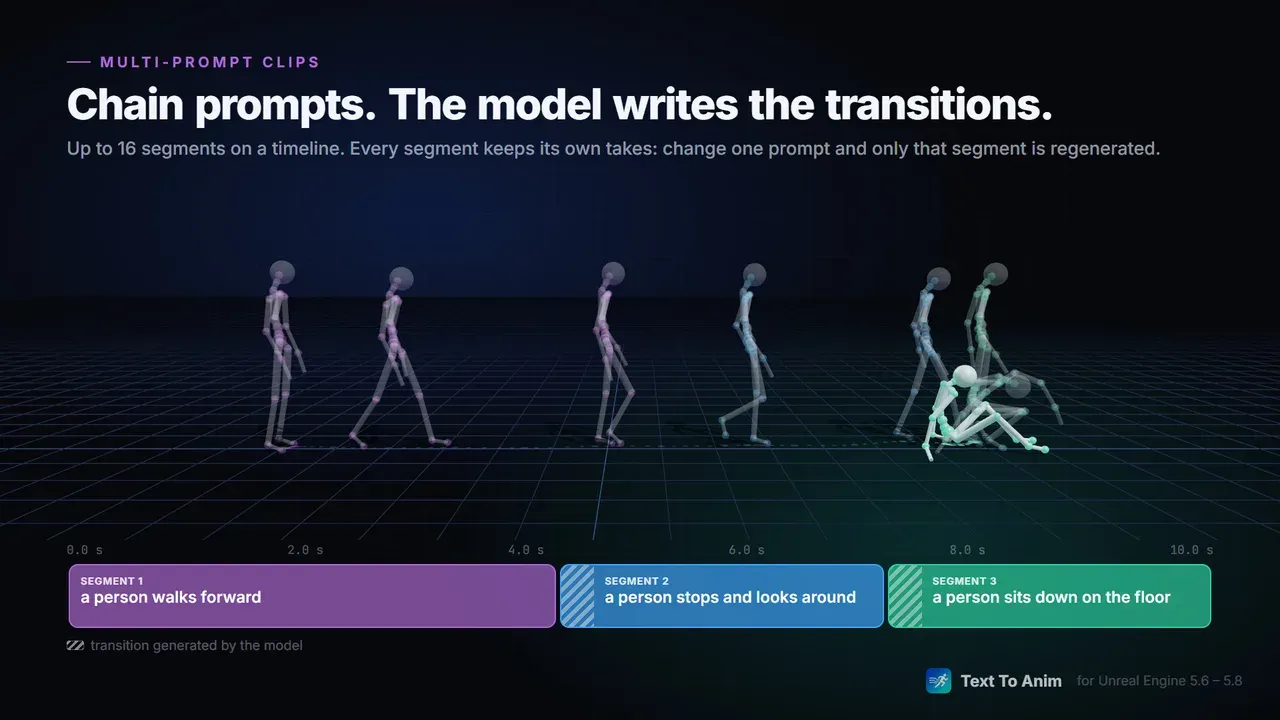
- 🎬 Multi-prompt Clips: chain segments on a timeline, the model generates the transitions between them and you regenerate only what changed
- 🧭 Direction control: set a heading or a point to reach on the floor for each segment, right in the viewport
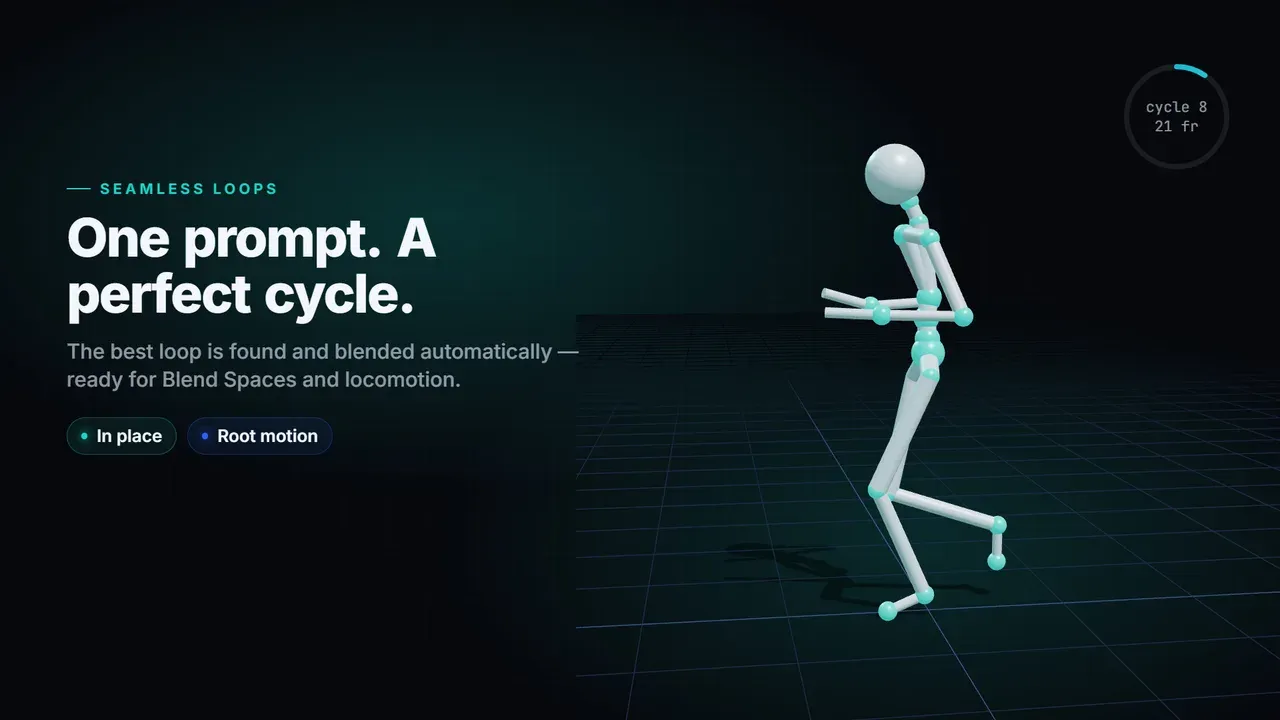
- 🔁 Seamless Loops: one prompt, automatic cycle detection, In place or Root motion, ready for Blend Spaces and locomotion
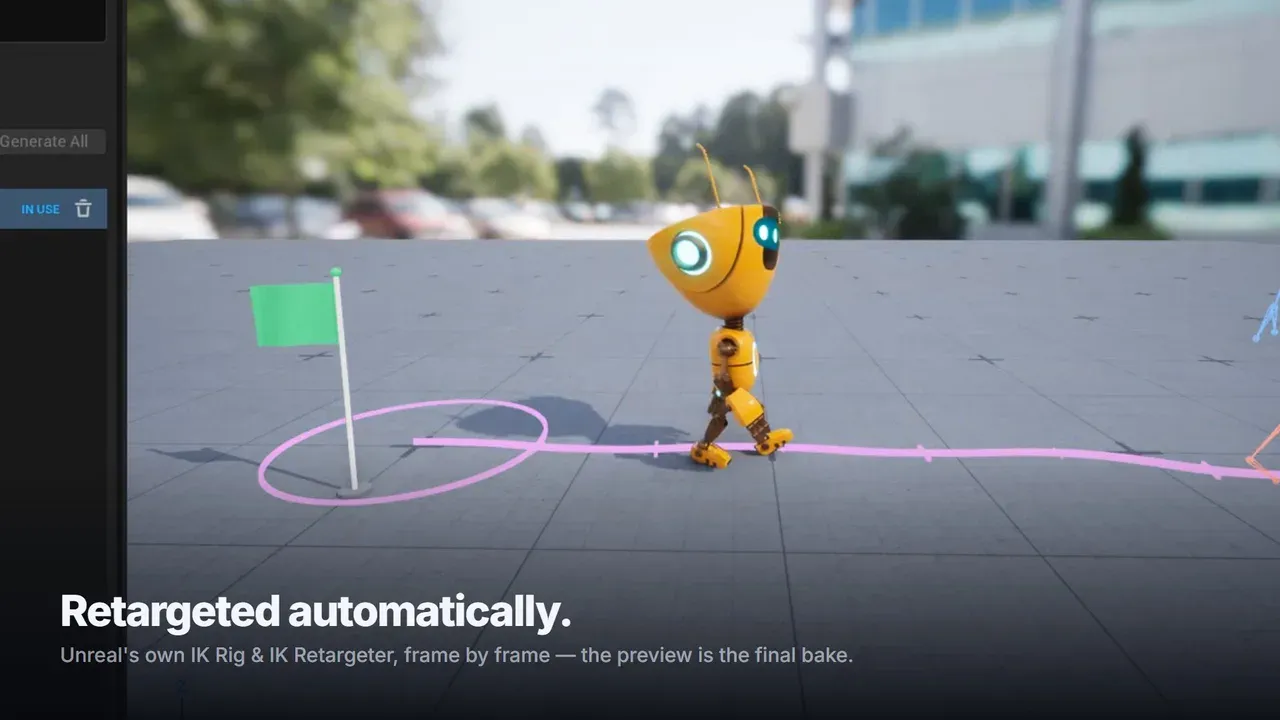
- 🦴 Automatic retargeting with Unreal's IK Rig and IK Retargeter: UE5 Manny and Quinn, UE4 Mannequin, MetaHuman bodies, Mixamo and other humanoid skeletons
- 📦 Real assets: Animation Sequences with Root motion, In place or Animated root, that you can update in place after picking another take
- 🧩 Editor-only: nothing of it ships in your game
Requirements
- Unreal Engine 5.6, 5.7 or 5.8 on Windows 10/11, 64-bit
- An NVIDIA GPU, RTX 20 series or newer, with a recent driver. AMD and Intel GPUs are not supported in this version: support for them is in development, with no release date yet
- 16 GB of RAM (32 GB recommended) and about 10 GB of free disk space
- The AI models (about 9.3 GB) are not included: they are downloaded once after installation, directly from their official Hugging Face repositories, with one click in the plugin
- Unreal's built-in IK Rig plugin, enabled automatically together with Text To Anim
Documentation
The full setup guide, the Clip and Loop editors, settings, troubleshooting and FAQ are in the official documentation.
Feedback & Support
Questions or feedback? Use the comments on the Fab listing or reach out on our Discord.
Powered by NVIDIA Kimodo. Built with Meta Llama 3. Altercode — Building better tools for game developers.